REVIEW · HONG KONG
Hong Kong: 4G Pocket Unlimited WiFi
Book on GetYourGuide →Operated by Hong Kong ULink Service Company Limited · Bookable on GetYourGuide
A pocket router can feel boring until you land. Then it becomes your plan B, your translator, and your way to keep moving. This Hong Kong 4G Pocket Unlimited WiFi setup stands out because it’s built for real trip use—email, WhatsApp, Instagram, Google Maps, and even Netflix—without the usual roaming pain. I like that it’s unlimited 4G and that you can share the connection with your travel partner. One thing to factor in: you need to manage the device during your whole stay and pay an HKD 500 deposit upfront.
In practice, this is one of those small logistics choices that changes everything. You arrive with a network right away, you avoid hunting for WiFi passwords, and you can route your day with Google Maps instead of guessing. I also like that the package is simple—device, USB cable, and an adapter—so you’re not rummaging for extra gear. The main catch is the return: you’ll hand it back at Hong Kong International Airport, so you’ll want to plan your final day around that.
If you’re the kind of traveler who relies on your phone for navigation and messaging, this is a strong deal at $15 per person for 2 to 7 days. Just keep an eye on your charging habits and remember the deposit is part of the cost to budget.
In This Review
- Key points at a glance
- Why unlimited 4G matters more in Hong Kong than you think
- Airport pickup at Hong Kong International: fast start, less hassle
- What you actually get: the pocket router setup that keeps life normal
- Sharing WiFi with up to five devices: great for pairs and small groups
- Unlimited 4G for maps, social apps, and Netflix: what it means for your trip
- Battery and charging reality: don’t let a small device ruin your big day
- Returning the device at the airport: keep it simple on your last day
- Price and value: how $15 per person really stacks up
- Who this is best for (and who should skip it)
- Should you book this Hong Kong pocket WiFi?
- FAQ
- How many days is the Hong Kong 4G Pocket Unlimited WiFi valid?
- Where do I pick up and return the pocket WiFi device?
- Is the WiFi really unlimited, and is speed reduced?
- How many devices can connect to the pocket WiFi?
- What’s included in the package?
- What is the deposit, and is it included in the price?
- When will I get my booking confirmation?
Key points at a glance
- Unlimited 4G for key apps like WhatsApp, Instagram, and Google Maps, plus Netflix for downtime
- Share the connection with your group: up to five devices can connect
- Airport pickup and return at Hong Kong International Airport, so you’re not stuck coordinating transfers
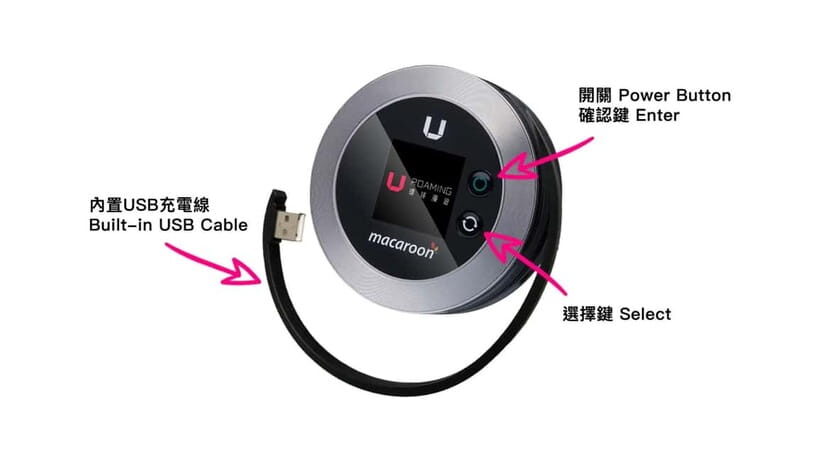
- Simple kit included: pocket WiFi device, USB cable, and adapter
- Real-world subway test is a good sign: one verified booking reported top reception even in the subway
Why unlimited 4G matters more in Hong Kong than you think
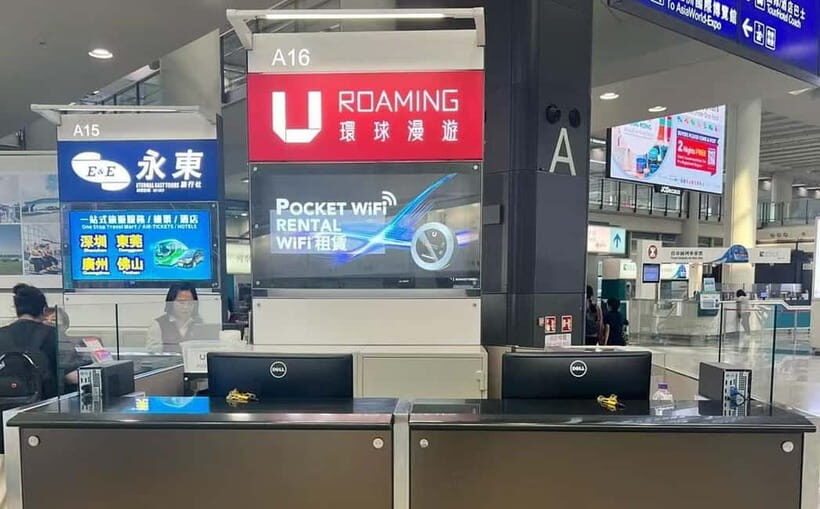
Hong Kong is set up for fast days: trains, ferries, street-to-street wandering, and lots of places where signal can be uneven. When you’re depending on Google Maps and quick messages, roaming can get expensive fast, and free WiFi is often slow or annoying to connect to.
This pocket WiFi is designed to solve that. The expectation isn’t just basic browsing—it’s keeping you functional for messaging and planning. The service explicitly covers email, WhatsApp, Facebook, Instagram, Google Maps, and Netflix. That matters because these aren’t all equal in data use. Maps can eat data. Netflix needs stable bandwidth. WhatsApp and Instagram need consistent access even when you’re moving.
I also like the decision to make this shareable. If you’re traveling with someone—partner, friend, sibling—splitting one connection is cleaner than each person buying their own data. And up to five devices means it can cover phones plus tablets or a laptop if you need it.
The one consideration is that it’s still a physical device. That means you’re responsible for keeping it charged, keeping the small gear safe, and returning it on time.
You can also read our reviews of more tours and experiences in Hong Kong.



Airport pickup at Hong Kong International: fast start, less hassle
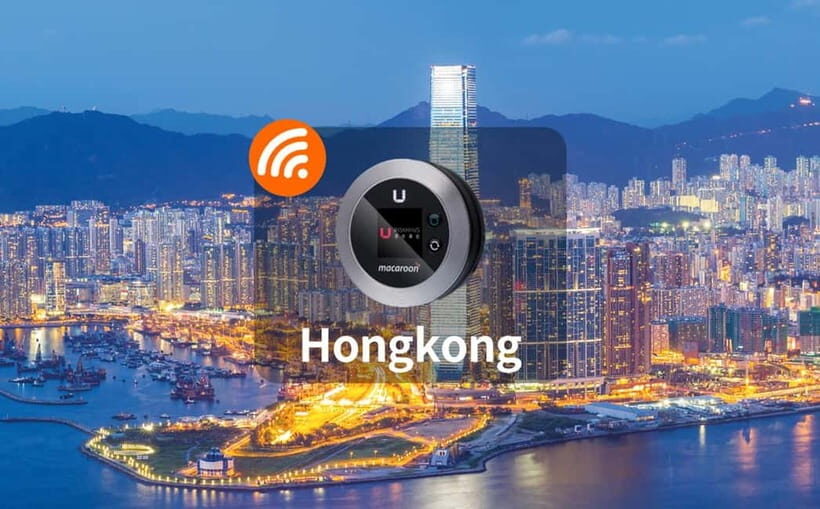
The big practical win is where you pick up and return the device: Hong Kong International Airport. That’s the most stress-free moment to handle setup. You can get connected right away and stop relying on airport WiFi that often disappears the moment you leave the terminal.
The meeting point can vary based on the option you booked, so don’t treat it like a single universal counter. But the good news is that the provider clearly centers the experience around the airport, not a separate city meeting spot. That keeps your first day simpler.
Timing-wise, you can expect confirmation within 48 hours after purchase. So you’ll know what to do before you arrive, which is what you want for a service that lives on your trip schedule.
If you land early, this kind of pickup helps you hit the ground running. Even if your plans are flexible, being online means you can update reservations, check transit routes, or coordinate where you’ll meet your group.
What you actually get: the pocket router setup that keeps life normal
Included in the box is everything you need for day-one use: the pocket WiFi device, a USB cable, and an adapter. That’s a nice touch because you don’t have to guess about charging cables or plug shapes.
Once it’s in your hands, the goal is straightforward:
- Turn it on
- Connect your phone (and any other devices)
- Keep going without searching for local networks
The service is described as unlimited 4G with no speed reduction. No one can guarantee real-world consistency everywhere, but the promise is clear: you’re paying for ongoing access, not rationed data.
A small detail I appreciate: one verified user said the device ran smoothly and lasted a day without needing to be charged, and that reception was strong even in the subway. That lines up with what you want from a pocket router—reliable performance in the places where you actually need it.
Sharing WiFi with up to five devices: great for pairs and small groups
If you travel with another person, or if your group has a mix of devices, the “share up to five devices” detail can make this a better value than single-device alternatives.
It also changes your day-to-day behavior. Instead of taking turns with maps or turning off data to save costs, both of you can use your own apps at the same time:
- One person checks routes on Google Maps
- The other handles messaging and social updates
- A third device can join if needed
The advantage here is not just convenience—it’s fewer moments of friction. Hong Kong moves fast. When navigation and communication are both working, your schedule feels smoother.
Keep in mind that sharing doesn’t make you immune to general mobile network limits. If you find yourself in extremely crowded areas, you might notice slowdowns with any wireless setup. But for normal travel pacing, sharing a pocket router is a practical way to keep costs and stress down.
Unlimited 4G for maps, social apps, and Netflix: what it means for your trip
The description spells out the apps you should be able to use:
- Facebook and Instagram
- Google Maps
- Netflix
That tells you the service is intended for both navigation and media. Google Maps is the real test for most travelers: you need navigation accuracy and a connection that doesn’t drop every few minutes. Social apps can be lighter, but they also need steady access, especially with uploads and quick refreshes. Netflix adds another layer because it wants consistent bandwidth.
So what should you do with that information? Plan your days like you normally would when you have data. Use Maps for public transit routes instead of guessing. Send messages and photos without waiting for free WiFi. If you have an evening in the hotel, streaming becomes realistic instead of a gamble.
Still, keep expectations grounded. Your experience depends on signal coverage where you are and how busy your network area is. The upside is that this is Hong Kong, where 4G coverage is generally strong, and at least one verified user reported excellent reception even in the subway.



Battery and charging reality: don’t let a small device ruin your big day
Pocket WiFi devices live and die by charging habits. Even though the service is set up for continuous use, you’ll still want power planning.
One verified user reported that the device lasted one day without needing to be charged. That’s a helpful benchmark, especially if your itinerary is a typical day of sightseeing plus a night or two of messaging.
Here’s how I’d handle it:
- Start each day with a topped-up battery
- Carry your USB cable (it’s included, but you still need it on your schedule)
- If you’re out all day and streaming or using Maps heavily, plan to recharge at some point
The risk isn’t that the service stops working. The risk is that you’ll get annoyed mid-day if you ignore charging. Treat the device like a power-sensitive travel tool, not like a magic box.
Returning the device at the airport: keep it simple on your last day
Returning the pocket WiFi device is part of the experience. It’s not a “drop somewhere later” situation; it’s meant to be handled at Hong Kong International Airport.
On a practical level, that means you should:
- Know how much time you’ll have between leaving your hotel and heading to the airport
- Keep the device, cable, and any included components together so you don’t scramble at the end
Also budget time for the handover process. Even if it’s quick, it’s still an airport task added to your normal travel flow.
Price and value: how $15 per person really stacks up
At $15 per person for a 2 to 7 day window, the value is easiest to understand when you compare it to roaming and the hassle factor.
Roaming tends to hit you in two ways:
- The cost can climb fast, especially when you use data for maps and messaging.
- Even if you can afford it, it’s still awkward—connect here, pay there, hope it works on transit.
This service is priced as a trip-day utility. You get unlimited 4G access, the ability to connect up to five devices, and airport pickup/return that fits a typical arrival/departure rhythm.
The deposit is the one extra item to budget for: HKD 500. Since the deposit is explicitly listed as not included, it’s your signal to plan for it. It’s not the same as the base price, so don’t do the math in your head and forget that deposit exists.
Who this is best for (and who should skip it)
This pocket WiFi makes the most sense if:
- You rely on Google Maps and messaging throughout the day
- You want consistent access for apps like WhatsApp, Instagram, and Netflix
- You’re traveling with someone and want a shared connection
- You want easy airport pickup and return instead of extra city coordination
It may be less ideal if:
- You don’t use data much and mostly rely on offline maps or hotel WiFi
- Your schedule is chaotic on your last day and you might struggle to return the device at the airport
- You dislike carrying extra small electronics during sightseeing
Should you book this Hong Kong pocket WiFi?
If your trip depends on your phone working—especially for navigation—this is an easy yes. The key reason is practical: the service is built around giving you ongoing data access across the trip, with a simple airport handoff and the ability to connect multiple devices.
Book it if you want fewer decision points on the road: no hunting for passwords, no roaming surprises, and no waiting until you’re back in your room to communicate. If you’re okay managing one small device and paying the HKD 500 deposit, you’ll likely find this keeps your Hong Kong days smoother.
FAQ
How many days is the Hong Kong 4G Pocket Unlimited WiFi valid?
It’s valid for 2 to 7 days. You can check availability to see starting times for the option you choose.
Where do I pick up and return the pocket WiFi device?
You pick up and return the device at Hong Kong International Airport.
Is the WiFi really unlimited, and is speed reduced?
The service is described as affordable unlimited 4G network data with no reduction in speed.
How many devices can connect to the pocket WiFi?
The device can connect up to five devices, including phones, computers, and tablets.
What’s included in the package?
Included items are the pocket WiFi device, a USB cable, and an adapter.
What is the deposit, and is it included in the price?
A deposit of HKD 500 is not included.
When will I get my booking confirmation?
You should receive ticket confirmation within 48 hours after purchase.